
“I forget to track miles.”
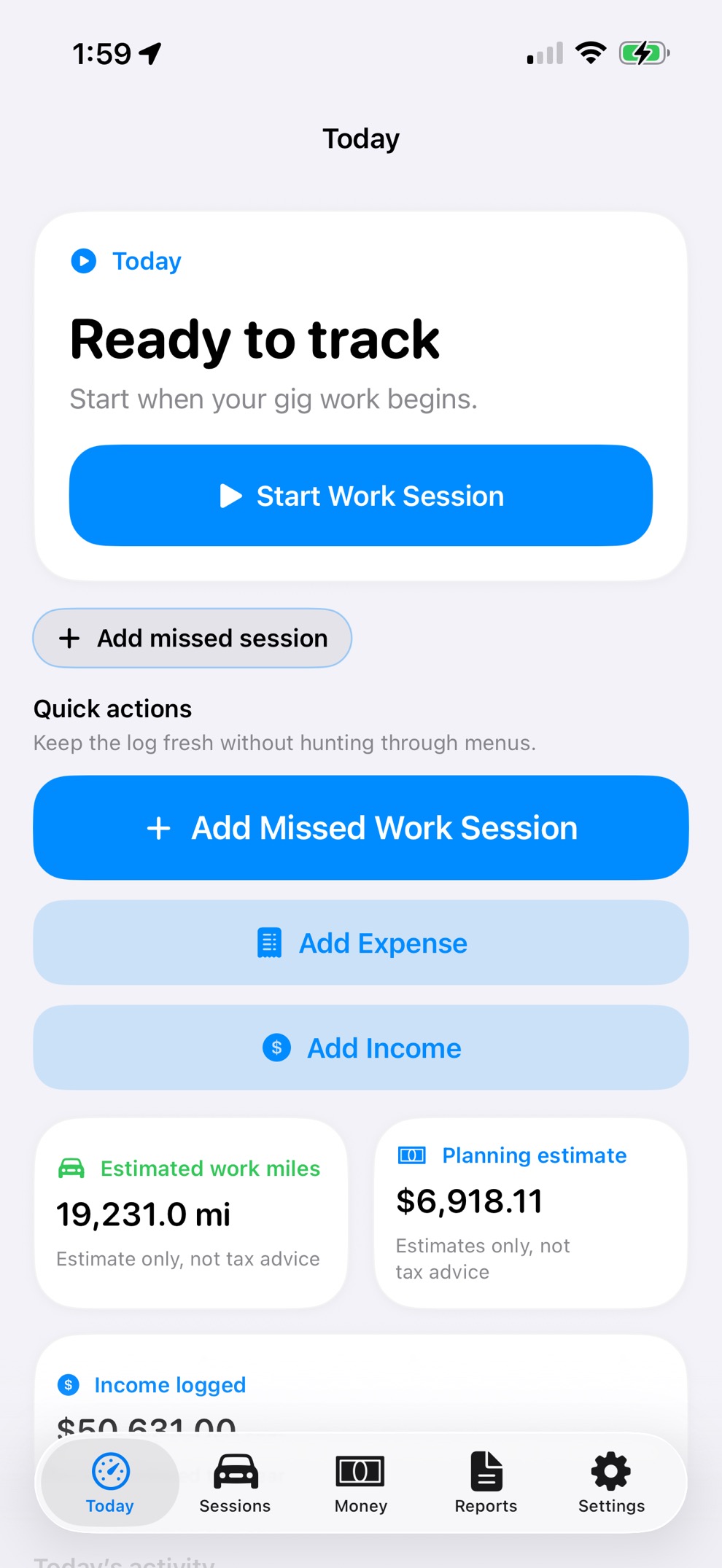
Start Work creates a repeatable tracking habit. Missed-trip entry keeps gaps visible instead of pretending tracking was perfect.
Track work miles, review missed or weak trips, log expenses and earnings, and export clean records for tax prep — with driver records stored on your iPhone.
Be ready before tax time. Review weekly. Export when you choose.
Driver pain points
Gig work gets messy fast. GigClaim is built around the records drivers usually forget, mix up, or delay until tax time.
Start Work creates a repeatable tracking habit. Missed-trip entry keeps gaps visible instead of pretending tracking was perfect.
Weekly review helps separate work, commute, personal, and review-needed trips while the details are still fresh.
Keep mileage, expenses, and earnings in one driver workflow so the week is easier to review.
Export organized records when you’re ready for your own review or tax-preparation workflow.
Weekly workflow
Capture the work, review the details, fix what GPS missed, keep money records current, and export only when needed.
Start a work session when you begin rideshare, delivery, or other 1099 driving.
Classify work, commute, personal, missed, and review-needed trips before relying on totals.
Keep expenses and earnings beside the mileage records they explain.
Use estimates to stay organized during the year. Final tax decisions belong with the driver and a qualified professional.
Export organized records for your own review or tax-preparation workflow.
Privacy-first
Mileage, trip, expense, earnings, and planning records can reveal where you drive, when you work, which platforms you use, and what you earn. GigClaim is designed around local-first recordkeeping, so driver records stay on your iPhone unless you choose to export them.
Website forms, support requests, product update signups, App Store subscription systems, and website analytics may be handled separately.
Mileage, trips, expenses, earnings, and planning records are designed to stay on your phone.
Create files only when you decide to review, save, back up, or hand off records.
Use local export, backup, delete, and reset workflows when you need to manage records.
Features
GPS is useful, but it is not perfect. GigClaim keeps weak trips, missed starts, mixed driving, expenses, earnings, and exports visible so drivers can review records before relying on totals.
Capture work sessions and keep trip records organized by date, source, distance, and review status.
Review classifications before relying on totals, especially around mixed personal and work driving.
Add missed or corrected records manually, then keep them visible for review before export.
Log driver earnings you choose to track so mileage and money records can be reviewed together.
Organize driver expenses such as fuel, charging, tolls, parking, supplies, and maintenance.
Surface weak GPS, permissions, battery settings, and interruptions instead of hiding uncertainty.
Use planning views for review. GigClaim does not provide tax, legal, or accounting advice.
Export, back up, delete, or reset local records through driver-controlled workflows.
App screens
Screens use realistic sample records so drivers can see how work sessions, trips, money, and reports look in practice.
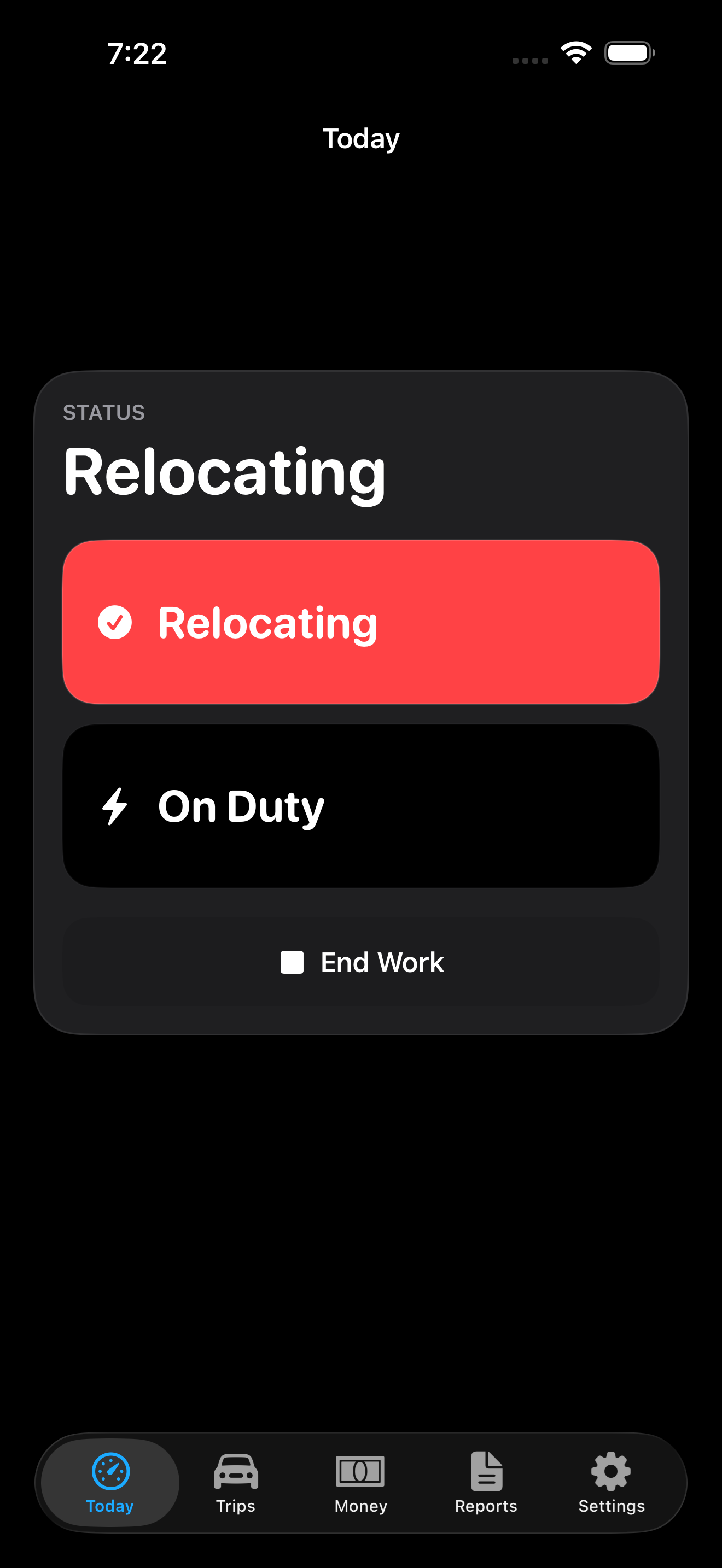
Active work session
Example session data shown.
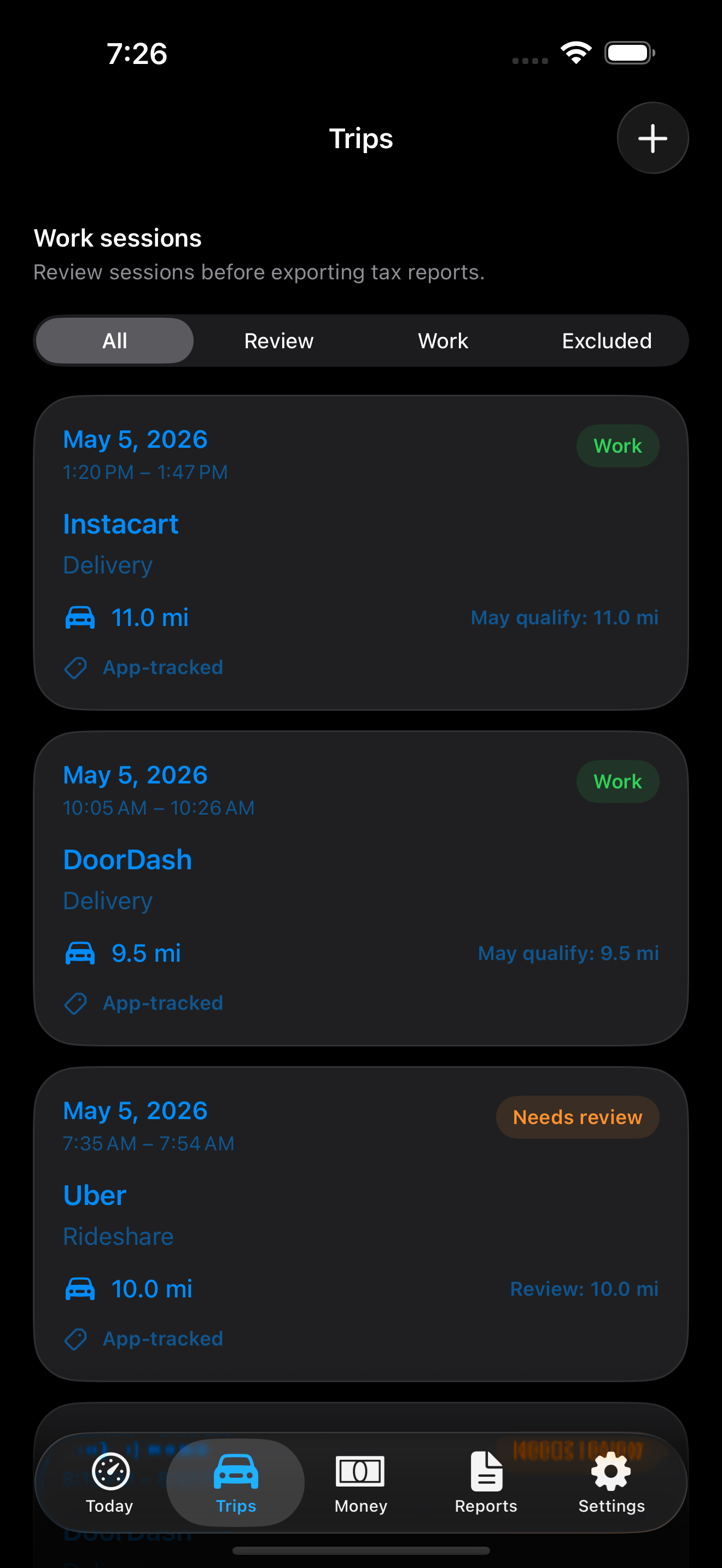
Trips
Review and classify records weekly.
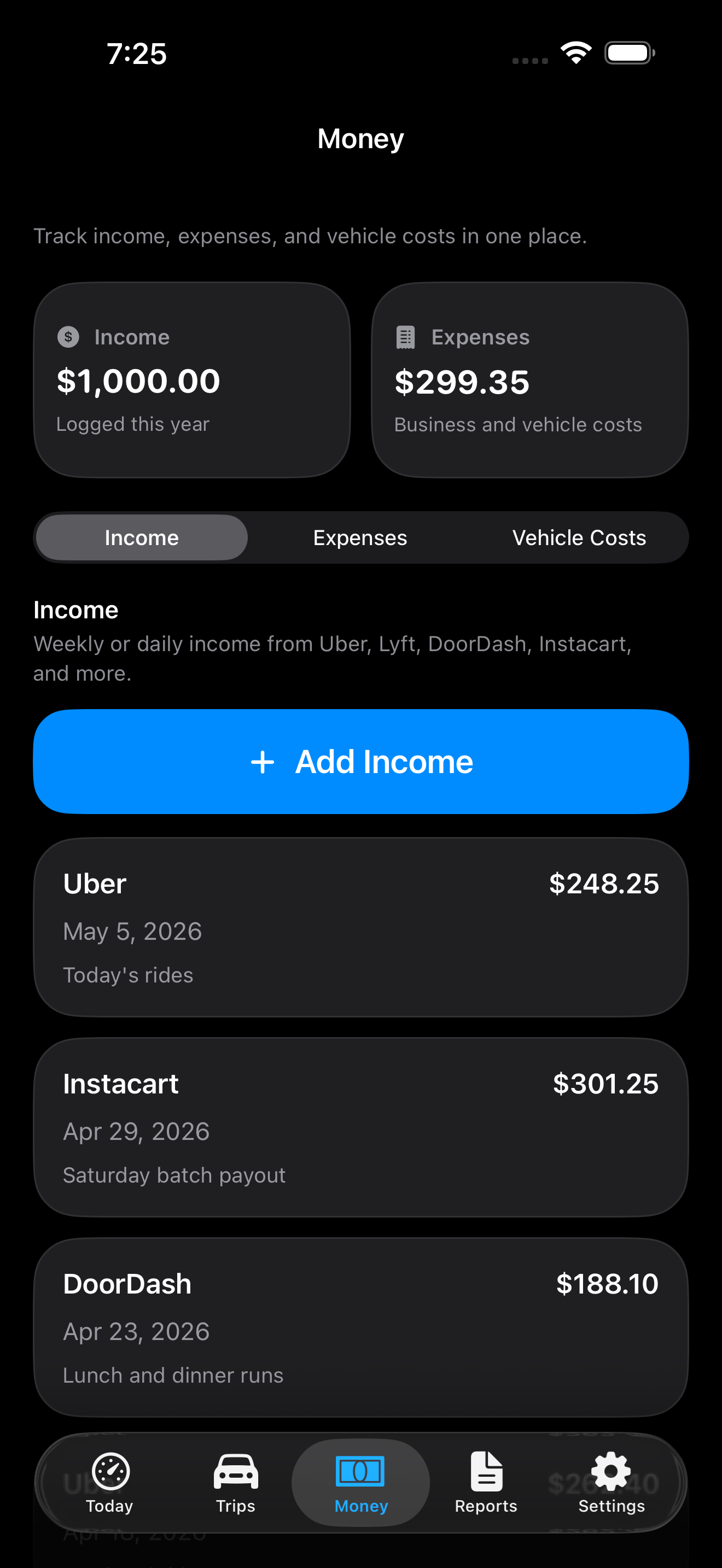
Money
Keep earnings and expenses in one place.
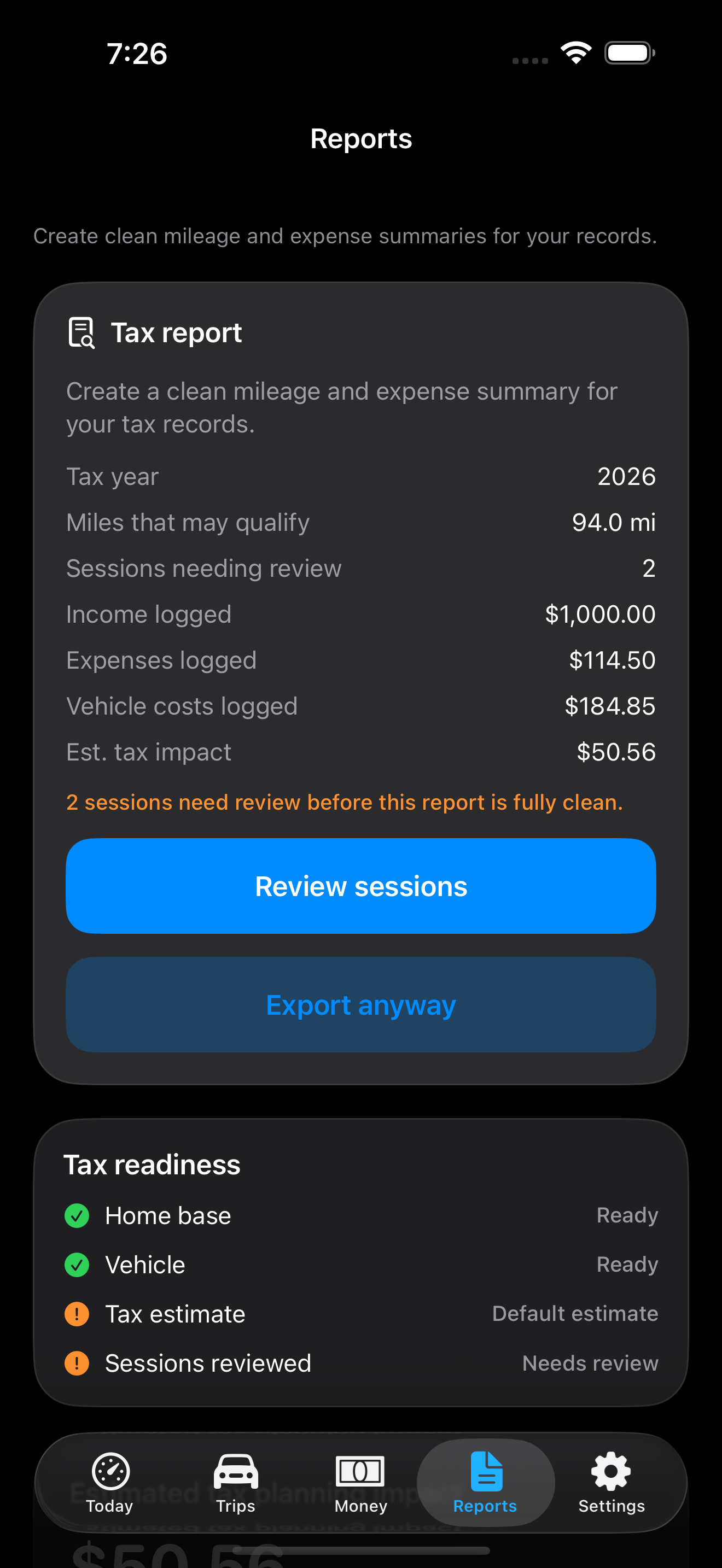
Reports
Review records before export.
Planning estimates
GigClaim helps drivers review mileage, expenses, earnings, and planning estimates during the year. Final tax decisions still belong with the driver and a qualified professional.
Review mileage records beside money records before relying on totals.
Use set-aside estimates for planning, not as final filing numbers.
Export records for your own review or tax-preparation workflow.
Keep GPS limits visible so weak trips can be checked.
Driver guides
Use the guides to understand what to track, what to review before export, and where GigClaim's planning boundaries are.
FAQ
GigClaim is a driver recordkeeping and planning tool. It helps organize mileage, earnings, expenses, estimates, and reports, but it does not prepare or file tax returns.
No. GigClaim does not file taxes.
GigClaim keeps weaker trips reviewable so drivers can confirm dates, distance, purpose, and classification before relying on them.
Yes. Drivers can add missed trips manually and review them before using them for planning estimates or reports.
Yes. GigClaim is built around exporting trip, mileage, earnings, expense, and review records for your own recordkeeping workflow.
GigClaim is designed around local-first recordkeeping so driving records stay inspectable, exportable, and deletable.