
Mileage records
Track work miles, review trips, and keep records inspectable before export.
Mileage deduction records
Mileage deduction questions are really recordkeeping questions first. This guide explains the kinds of mileage records gig drivers may want to organize before discussing tax treatment with a qualified professional.
Last reviewed: June 15, 2026
Track work miles, review trips, and keep records inspectable before export.
Mileage, trip, expense, earnings, and tax-planning records are designed to stay on your phone.
Export records only when you choose.
Inside GigClaim
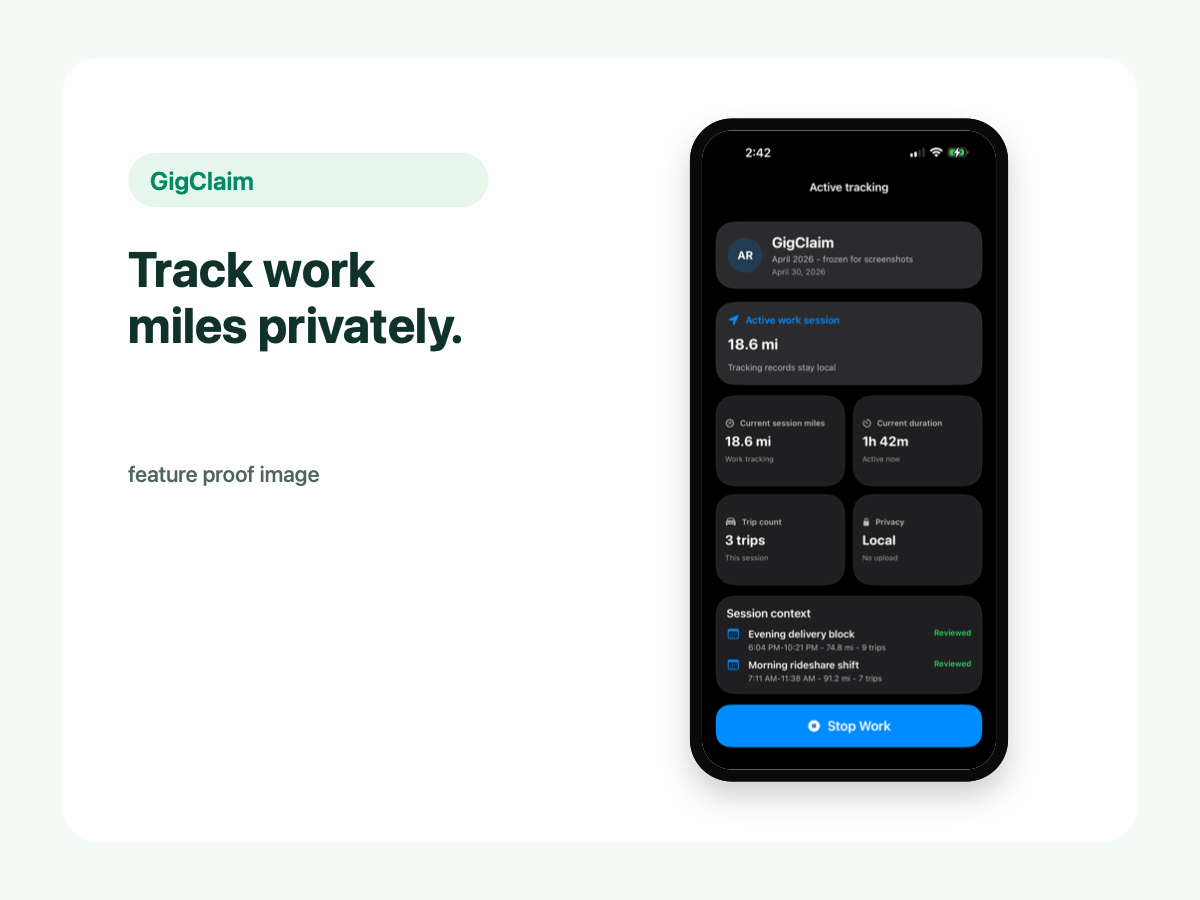
GigClaim is built around reviewable records: track the work session, inspect trips, add missed entries or notes when needed, then export only after the record makes sense.
That workflow is useful for busy delivery and rideshare days where personal errands, weak GPS, parking, tolls, or route changes can make a raw mileage total hard to trust without review.
Quick answer
Driver scenarios
Use these examples as review prompts, not tax conclusions. Your facts still matter.
The first movement around work often needs review. Keep the classification based on what happened, not what you hope it counts as.
If you switch from rideshare to delivery, keep enough context to explain the work session later.
A manual entry should explain why tracking missed the drive and what you know about date, distance, and purpose.
Recordkeeping
A mileage tracker can help you organize the date, distance, purpose, classification, and review status of driving records.
That does not mean every mile is deductible. Eligibility depends on your facts, current tax rules, and professional guidance.
Planning
GigClaim can help organize mileage, earnings, expenses, and planning estimates so drivers can review the numbers during the year.
Planning estimates are not final filing numbers and should not be treated as tax, legal, or accounting advice.
Exports
After reviewing trips and notes, export records when you choose. An organized export can make it easier to discuss your facts with a tax professional.
GigClaim does not file taxes and does not guarantee deductions, tax savings, refund amounts, or outcomes.
Review checklist
Review work, commute, personal, and review-needed classifications before relying on mileage totals.
Check manual entries, weak GPS records, notes, and gaps that could raise questions later.
Export a clear date range with mileage, expenses, earnings, and notes for discussion with a qualified tax professional.
Common mistakes
A yearly mileage total is weaker if the underlying trips were never reviewed.
If a record is unclear, use notes or review-needed status instead of making the export look more certain than it is.
Mileage is easier to understand when expenses and earnings for the same period are organized too.
GigClaim organizes records and planning estimates. Tax treatment still depends on your facts and professional guidance.
Boundaries
FAQ
No. GigClaim helps organize records and planning estimates. It does not guarantee deductions, tax savings, refund amounts, or outcomes.
No. GigClaim provides planning estimates and recordkeeping tools. It is not tax, legal, or accounting advice.
That can be useful. GigClaim exports can help organize records, but a qualified tax professional should advise on tax treatment.
Related pages